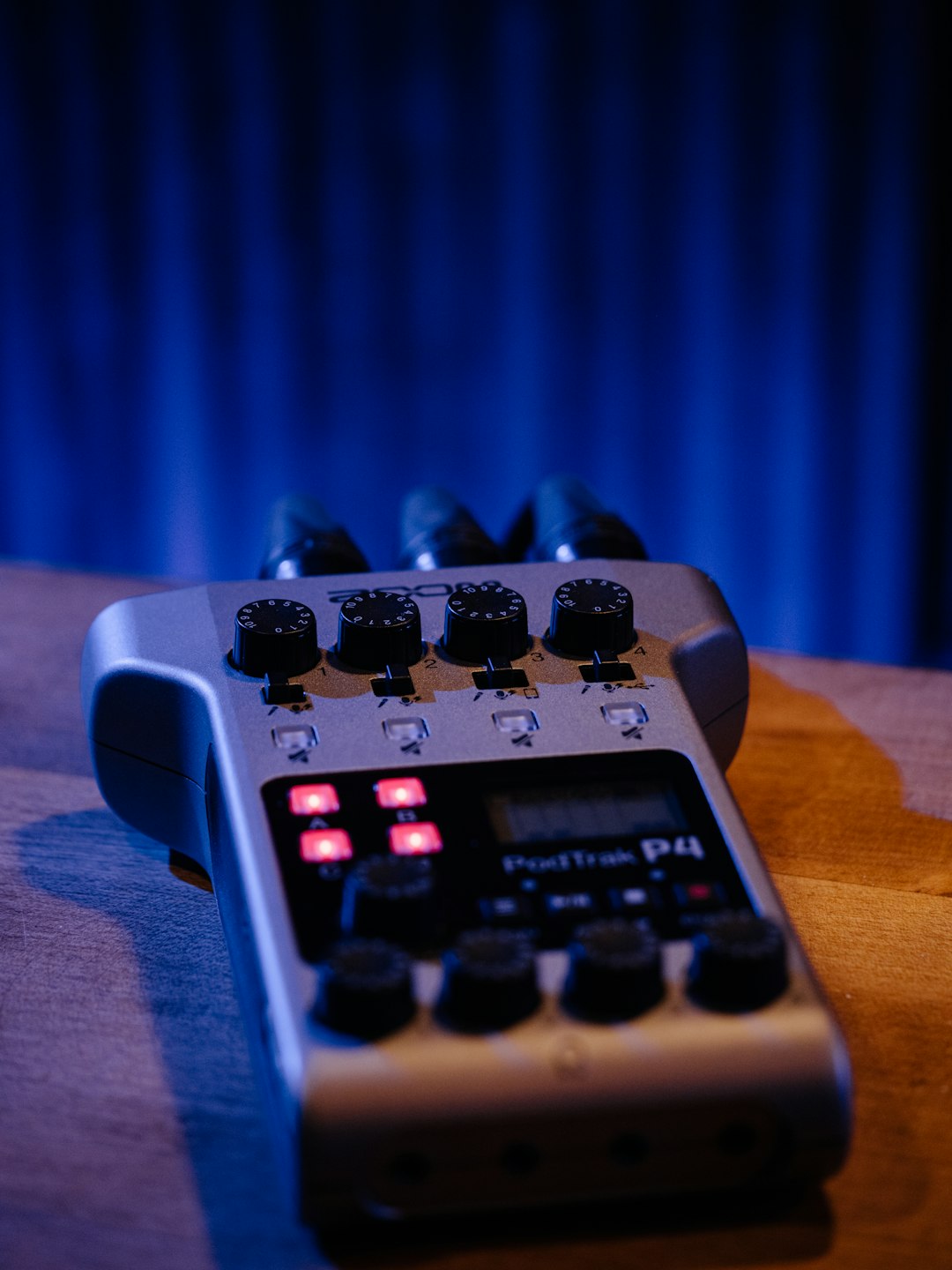
What Is an Audio Interface?
An audio interface converts analogue audio signals from microphones and instruments into digital data your computer can process. It also converts digital audio from your computer back into analogue signals for monitoring through speakers or headphones.
Your computer likely has a built-in sound card, but these are designed for basic playback and voice calls, not professional recording. Built-in sound cards typically offer poor preamps, high latency, limited inputs, and inadequate audio quality for content creation.
A dedicated audio interface solves these limitations. It provides high-quality preamps to amplify microphone signals cleanly, low-latency monitoring so you hear yourself in real-time without distracting delays, multiple inputs for recording several sources simultaneously, and professional-grade converters that preserve audio fidelity.
For anyone serious about podcasting, music production, or video content creation, an audio interface is essential equipment that dramatically improves recording quality and workflow efficiency.
Understanding Preamps
Preamps might be the most important component of an audio interface, yet they're often the least understood. A preamp amplifies the very quiet signal from a microphone to a level suitable for recording. This amplification must be clean and transparent, adding volume without introducing noise or distortion.
Microphone output is measured in millivolts, far too quiet to record directly. Preamps boost this signal to line level, typically around 1-2 volts, providing sufficient strength for the interface's analogue-to-digital converters to work effectively.
Preamp quality varies enormously between interfaces. Budget interfaces often use basic preamps that add noticeable noise, particularly when recording quiet sources or using lower-output microphones. Premium interfaces feature cleaner preamps with more gain range and lower noise floors.
Clean gain is measured in decibels. Quality preamps provide 60-70dB of gain with minimal noise. This range accommodates both loud sources like guitar amplifiers and quiet sources like soft-spoken voices or distant room ambience.
Some interfaces tout transparency, others offer character. Transparent preamps add no colouration, reproducing the microphone's signal faithfully. Preamps with character introduce subtle harmonic distortion or tonal shaping, which can be pleasing for certain applications. Neither approach is inherently better, the choice depends on your preferences and recording style.
Input and Output Requirements
Before selecting an interface, assess how many simultaneous inputs you need. Solo podcasters might need only one XLR input. Interview-format shows require at least two. Music production or multi-person podcasts demand more.
Most entry-level interfaces offer two combination inputs that accept both XLR microphones and quarter-inch instruments. This configuration suits the majority of content creators. If you plan to record drums, full bands, or multiple speakers simultaneously, consider interfaces with four, eight, or more inputs.
Don't confuse total inputs with simultaneous inputs. Some interfaces list eight inputs but only record two at once. Verify how many inputs can record simultaneously if you need multi-track capability.
Output requirements matter too. At minimum, you need headphone output for monitoring and line outputs for studio monitors. Some interfaces include multiple headphone outputs with independent level controls, useful when recording multiple people who each need their own monitoring mix.
Additional outputs provide routing flexibility. You might send audio to external effects processors, multiple sets of monitors for comparison, or separate recording systems for backup. Consider both current needs and potential future expansion.
Connection Types: USB, Thunderbolt, and More
Audio interfaces connect to computers via several protocols, each with advantages and trade-offs.
USB Interfaces
USB is the most common connection type, offering broad compatibility with Windows and Mac computers. USB 2.0 provides sufficient bandwidth for most home recording applications, supporting multiple channels of 24-bit/96kHz audio.
USB 3.0 and USB-C offer even greater bandwidth and improved power delivery. Some interfaces are USB-C bus-powered, drawing all necessary power from the computer without requiring external power supplies. This portability is valuable for mobile recording setups.
USB's universal compatibility makes these interfaces versatile and affordable. Nearly every modern computer includes USB ports, ensuring your interface will connect without requiring additional hardware.
Thunderbolt Interfaces
Thunderbolt connections offer superior bandwidth and lower latency than USB. Thunderbolt 3 and 4 provide enough bandwidth for dozens of simultaneous channels at high sample rates, making these interfaces ideal for large-scale recording projects.
The primary limitation is compatibility. Thunderbolt is primarily found on Mac computers and some high-end Windows machines. Thunderbolt interfaces also cost more than comparable USB models.
For most content creators, Thunderbolt's advantages don't justify the additional cost. However, professional studios recording many simultaneous channels benefit from the increased bandwidth and rock-solid stability.
Other Connection Types
Some older interfaces use FireWire, now largely obsolete. PCIe audio cards install directly into desktop computers, offering excellent performance but zero portability. For modern portable recording, USB is the practical choice for most users.
Sample Rate and Bit Depth
Audio interfaces specify supported sample rates and bit depths, but understanding what these numbers mean helps you make informed decisions.
Sample rate measures how many times per second the interface captures the audio signal. CD quality is 44.1kHz, meaning 44,100 samples per second. Higher rates like 96kHz or 192kHz capture more frequently, theoretically preserving more high-frequency information.
For voice and most music, 44.1kHz or 48kHz is entirely sufficient. Human hearing extends to approximately 20kHz, and the Nyquist theorem states that sample rates need only be twice the highest frequency to accurately reproduce it. Thus, 44.1kHz or 48kHz perfectly captures the full range of human hearing.
Higher sample rates offer advantages in specific scenarios. They provide more headroom for pitch-shifting and time-stretching in post-production. Some argue they sound better, though this remains hotly debated. The downside is larger file sizes and increased processing demands on your computer.
Bit depth determines dynamic range, the difference between the quietest and loudest sounds the system can capture. 16-bit provides 96dB of dynamic range, adequate for many applications. 24-bit delivers 144dB, far exceeding the dynamic range of most microphones and providing ample headroom for recording.
Always record at 24-bit. The file size increase over 16-bit is negligible on modern storage, and the additional headroom prevents clipping and provides more flexibility in post-production. Sample rate is more flexible; 48kHz represents a sensible standard for video content.
Latency and Direct Monitoring
Latency is the delay between speaking into a microphone and hearing your voice in headphones. All digital recording systems have some latency, but excessive delay is distracting and makes recording difficult.
Latency occurs because audio must travel from the microphone, through the preamp, get converted to digital, processed by your computer, converted back to analogue, and sent to your headphones. This journey takes time, typically measured in milliseconds.
Professional interfaces minimise latency through efficient drivers and powerful processing. Round-trip latency below 10 milliseconds is generally imperceptible. Above 20-30 milliseconds becomes noticeable and potentially problematic.
Direct monitoring provides a solution. This feature routes the input signal directly to headphone outputs, bypassing the computer entirely. You hear yourself in real-time with zero latency. The downside is you cannot hear software effects or processing applied in your recording software.
Most interfaces offer direct monitoring with a blend control, allowing you to mix the direct signal with the computer playback. This hybrid approach provides low-latency monitoring while still hearing your recording software output.
Important Features to Consider
Beyond basic specifications, several features enhance usability and expand creative possibilities.
Phantom power is essential for condenser microphones. These mics require 48V power to operate, supplied through the XLR cable by the interface. Most interfaces include phantom power, but verify this if you plan to use condenser microphones.
Pad switches reduce input sensitivity for very loud sources like guitar amplifiers or drums. Without a pad, these sources might overload the preamp, causing distortion. A -10dB or -20dB pad prevents this issue.
High-pass filters remove low-frequency rumble from microphone signals. These hardware filters can eliminate handling noise, air conditioning rumble, or traffic vibrations before they're recorded, simplifying post-production.
MIDI connectivity allows connecting keyboards, drum pads, and other MIDI controllers. While not essential for voice recording, MIDI expands your creative possibilities if you plan to incorporate music production.
Multiple headphone outputs with independent volume controls are valuable when recording multiple people. Each person can adjust their monitoring level without affecting others, improving comfort and performance.
Budget Considerations and Recommendations
Quality audio interfaces span a wide price range. Understanding what different price points offer helps you invest wisely.
Under £100
Entry-level interfaces like the Focusrite Scarlett Solo or Behringer U-Phoria UMC22 provide surprisingly good performance for minimal investment. These units offer clean preamps, 24-bit/48kHz recording, and direct monitoring. They're perfect for beginners or budget-conscious creators who need reliable basic functionality.
Limitations include basic preamps with moderate noise floors, minimal features, and typically only one or two inputs. For solo podcasting or simple vocal recording, these interfaces deliver excellent value.
£100-£300
This range includes popular choices like the Focusrite Scarlett 2i2, Universal Audio Volt 2, and SSL 2. These interfaces offer improved preamp quality, better build construction, additional features like hardware DSP or analogue processing, and superior converters.
This price bracket represents the sweet spot for most content creators. The quality jump from entry-level is noticeable, while costs remain reasonable. These interfaces will serve you well for years, even as your skills advance.
£300-£600
Premium interfaces such as the Universal Audio Apollo Twin, Audient iD14, and RME Babyface Pro offer exceptional preamp quality, pristine converters, advanced features like DSP processing, and rock-solid build quality.
These interfaces deliver professional results and include features that streamline recording workflows. They're worthwhile investments for serious creators who demand the best quality and plan to use their interface for years.
Over £600
High-end interfaces from RME, Universal Audio, and Apogee represent the pinnacle of audio quality. They feature world-class preamps and converters, extensive I/O options, advanced clocking, and professional features.
Most content creators don't need interfaces in this range. However, professional studios and demanding engineers appreciate the uncompromising quality and extensive capabilities these units provide.
Making Your Decision
Choosing an audio interface requires balancing your current needs, budget, and future plans. Start by counting required inputs. Will you record solo, or do you need multiple simultaneous inputs?
Consider your microphones. If you own or plan to purchase quality XLR microphones, invest in an interface with good preamps. The interface significantly affects how your microphones sound.
Assess your computer's connectivity. Does it have USB-A, USB-C, or Thunderbolt? Ensure the interface you choose matches your available connections.
Think about portability. Do you need a bus-powered interface for mobile recording, or will your interface remain in a fixed studio location where AC power is always available?
Read reviews from creators working in similar genres. A musician's requirements differ from a podcaster's, and reviews from your niche provide the most relevant insights.
Conclusion
An audio interface is a foundational purchase that affects every recording you make. Quality interfaces from reputable manufacturers deliver years of reliable service, making them worthy investments that improve your content quality immediately and continue serving you as your skills develop.
Don't feel pressured to buy the most expensive option. A £150 interface in the hands of someone who understands gain staging and proper recording technique will outperform a £500 interface used incorrectly. Master the fundamentals, then upgrade as your needs and budget allow.
Most importantly, research thoroughly, identify your specific requirements, and choose an interface that matches your actual needs rather than buying features you'll never use. A well-chosen audio interface becomes an invisible tool that simply works, allowing you to focus on creating content rather than troubleshooting technical problems.